Sensei
Senior Members
-
Joined
-
Last visited
Everything posted by Sensei
-
 ..you know the name.. Anyway, any interference is not even necessary, on a truly overpopulated planet, people in capitalist countries will simply die because they will not be able to pay for water and food. Supply and demand and greed.
 -
This is the result of a choice made by the customer.. This is a result of too high salaries in Western countries.. In Africa and Asia, they repair "everything".. This is a result of too high salaries in Western countries.. ..and African or Asian workers dream to be you especially when they have 40-50 C.. ps. iPhone is not so affordable.. 😛
-
"You can't step into the same river twice" is the layman's version of "the configuration of atoms/electrons changes all the time"..
-
This is not a database. It is source code in Python..
-
The line uses the backslash character, which is used in Windows as a directory tree separator. It is also used as an escape character in programming languages. You need to escape the escape character correctly, which you can do by using a double backslash: return render_template('C:\\Users\\grays\\OneDrive\\Documents\\PromptAI.html',name=PromptAI) Or, as you've already guessed, use r', but this will only work in Python. In all other "normal" languages, you escape the escape character with a double escape character. https://www.google.com/search?q=escape+escape+character
-
This line should be: from bs4 import BeautifulSoup ...don't jump to hasty conclusions.. https://stackoverflow.com/questions/72637168/beautifulsoup-typeerror-module-object-is-not-callable
-
1) you see an unknown error for the first time in your life 2) what is the line number? Disable line, print all variables, use debugger, draw conclusions 3) copy/type the error message into Google search engine or so 4) https://www.google.com/search?q=module+object+is+not+callable 5) read the tutorials above.. 6) draw conclusions..
-
You should start by reading the documentation provided by the original author of the library. Then you should find a tutorial on how to use the library in question, with examples. Then you should write your own experimental code to test it in a well-defined and constrained environment. Once you have mastered it, use it in a real project.. Instead you use functions from libraries you just heard about in pretty advanced project. "go for broke"..
-
You have syntax errors because you have no idea what you are doing. The interpreter/compiler gives you the line number with the error. Use this knowledge to fix the errors. You need to experiment with less demanding projects to learn how to use all these libraries and features before you move on to an advanced project like this one. For example, here you must have an error, because what on earth is an 'img'.... ?
-
It should be: import requests
-
I tried this code on my website, which I knew had relative URLs, and confirmed. item['src'] is relative. In fact, the conversion from relative to absolute URLs can be done using the requests module itself: for item in soup.find_all('img'): src=requests.compat.urljoin(url, item['src']) print(src) ... but there is a possible problem - a web page may have a <base> tag to replace the original URL.... A rarely used thing these days. https://www.w3schools.com/tags/tag_base.asp ( I found a serious mistake in Python requests module - it does not accept URL to local file either in local directory nor with file:// .. it will be harder to debug the code.. )
-
In the above code you showed, the image_url is taken from the user input, but you must use the content returned by BeautifulSoup. https://www.google.com/search?q=scraping+images+python+beautifulsoup Tutorial from the first link: import requests from bs4 import BeautifulSoup def getdata(url): r = requests.get(url) return r.text htmldata = getdata("https://www.geeksforgeeks.org/") soup = BeautifulSoup(htmldata, 'html.parser') for item in soup.find_all('img'): print(item['src']) The src in the above is a relative or absolute URL. You need to convert it to an absolute URL and use it in requests.get() (or alternatives), then output from it in Image.open() to retrieve the image. Then use image object where you need to.
-
Image.open() does not take URL (i.e. Internet location) but path to local file, or file object (stream). https://pillow.readthedocs.io/en/latest/reference/Image.html requests.get() downloads image from URL, and gives Image.open() local path, or stream. https://www.geeksforgeeks.org/how-to-open-an-image-from-the-url-in-pil/
-
Try this: import requests from PIL import Image # python2.x, use this instead # from StringIO import StringIO # for python3.x, from io import StringIO r = requests.get('https://example.com/image.jpg') i = Image.open(StringIO(r.content)) or from PIL import Image import requests img = Image.open(requests.get('http://example.com/image.jpg', stream = True).raw) img.save('image.jpg')
-
What kind of help do you need? How to retrieve HTML from a specific URL? Try this: https://www.tutorialspoint.com/downloading-files-from-web-using-python How to analyze HTML and extract links from it? You need to find the src img tags. string.index(), string.find() or regex can be used to do it. https://www.w3schools.com/python/python_regex.asp 'Dictionary' contains key-value pairs. https://docs.python.org/3/tutorial/datastructures.html#dictionaries You can make abstract datatype in custom class with 'keyword', 'url' and 'path' (on local storage), to have more 'values'.
-
-
Did you already have Pythagoras' theorem of triangles in math?
-
Scientists use DNA tests..
-
In which is it not?
-
Welcome! To "Westworld".. Don't wake up in a "vat"?
-
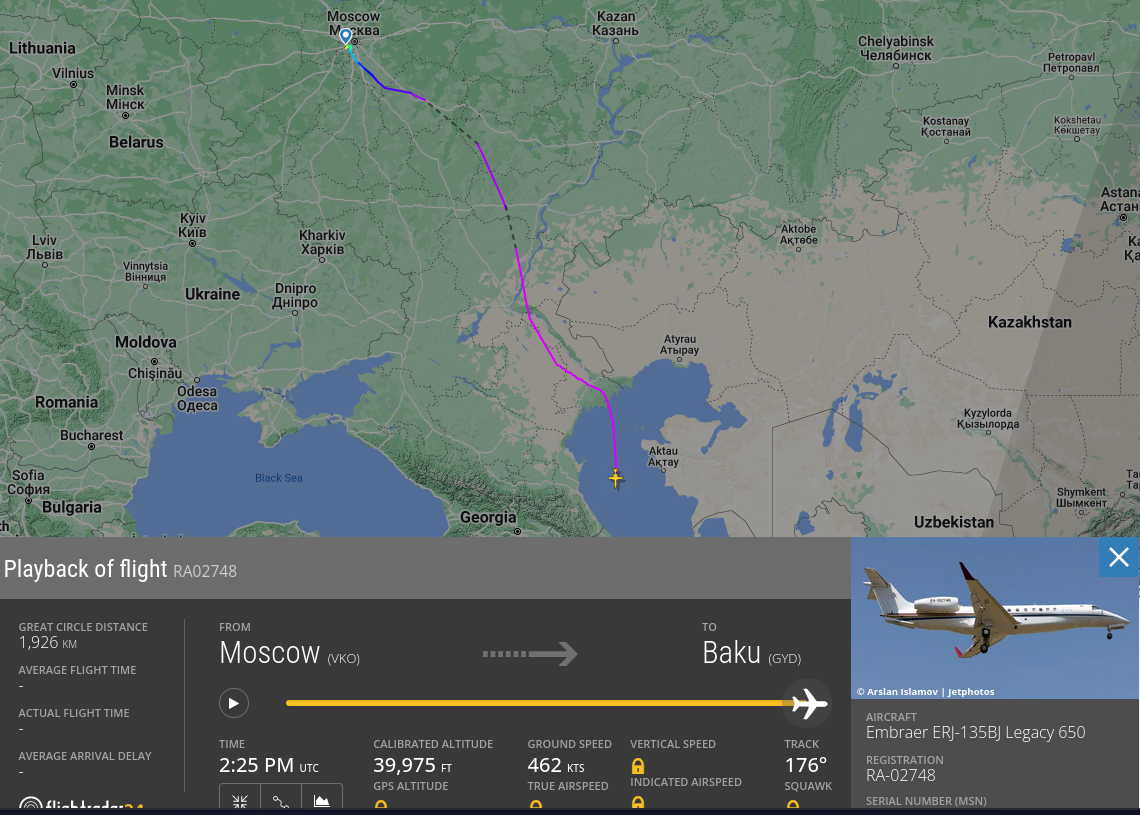
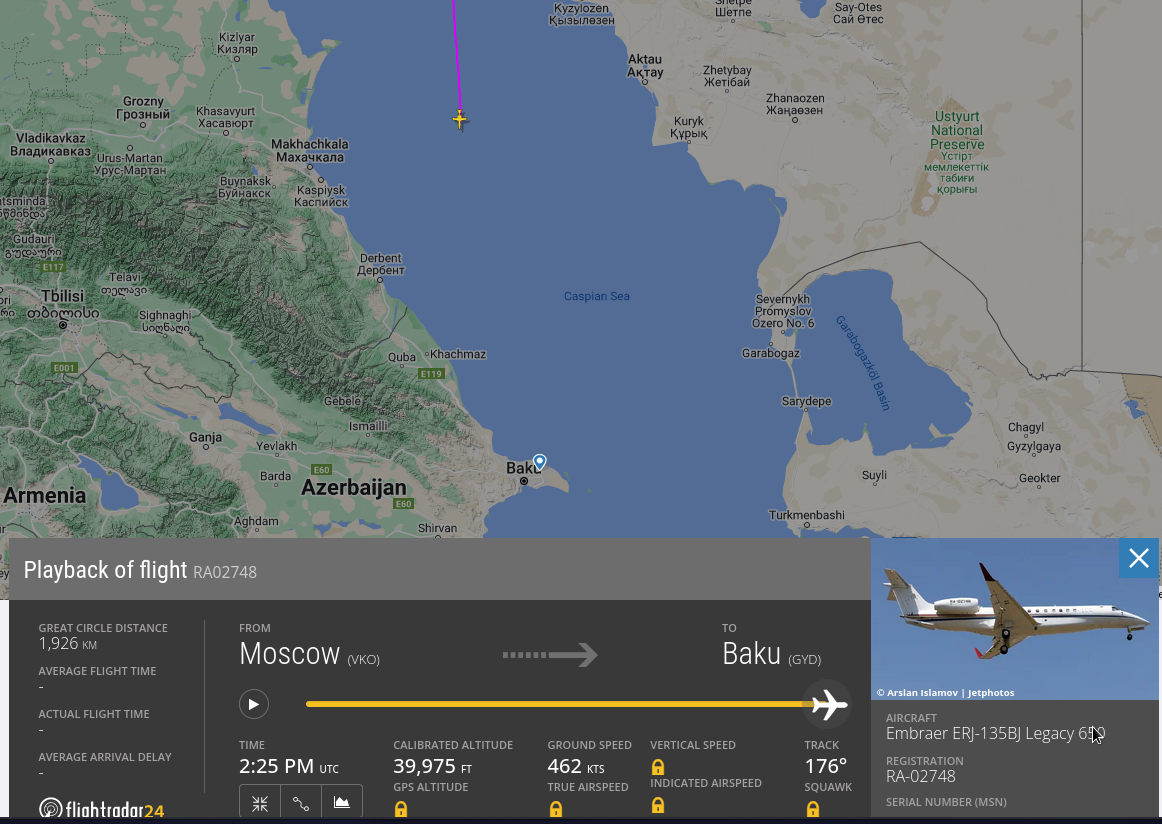
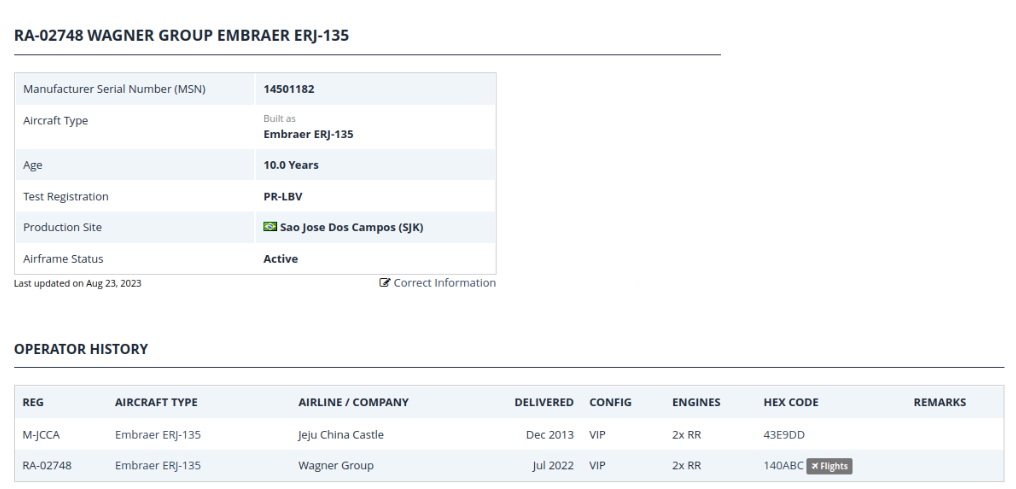
Prigozin's second airplane is currently in the middle of the Caspian Sea. At the end of its "trip" to Baku. https://www.planespotters.net/airframe/embraer-erj-135-ra-02748-private/r1m2g6 ps. I'm attaching images because things on the Internet tend to disappear and/or change content all the time..
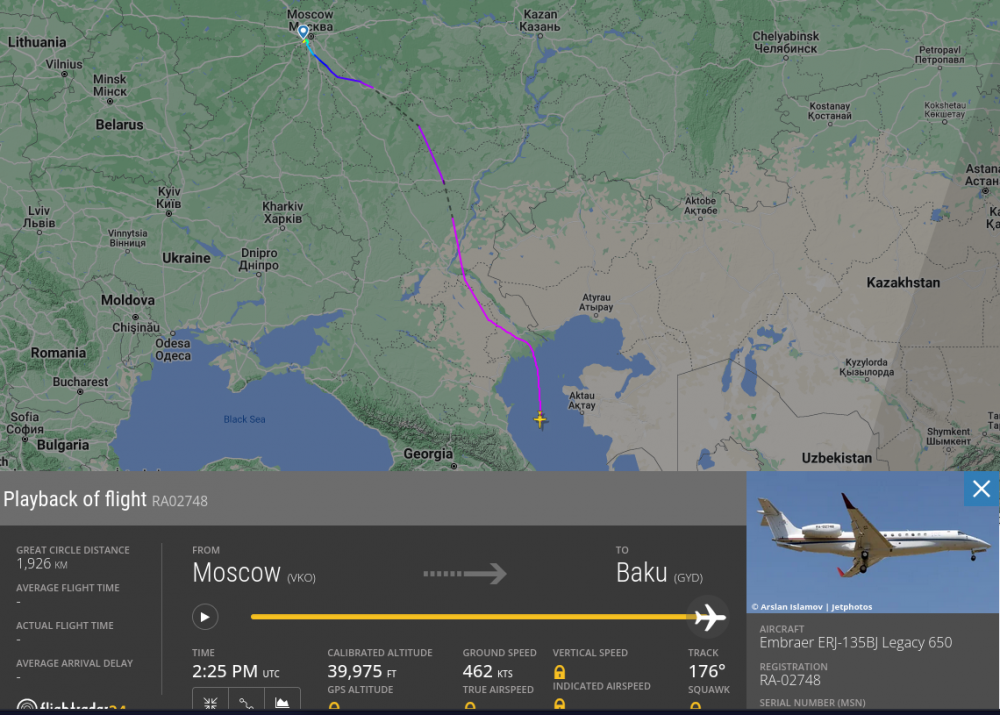
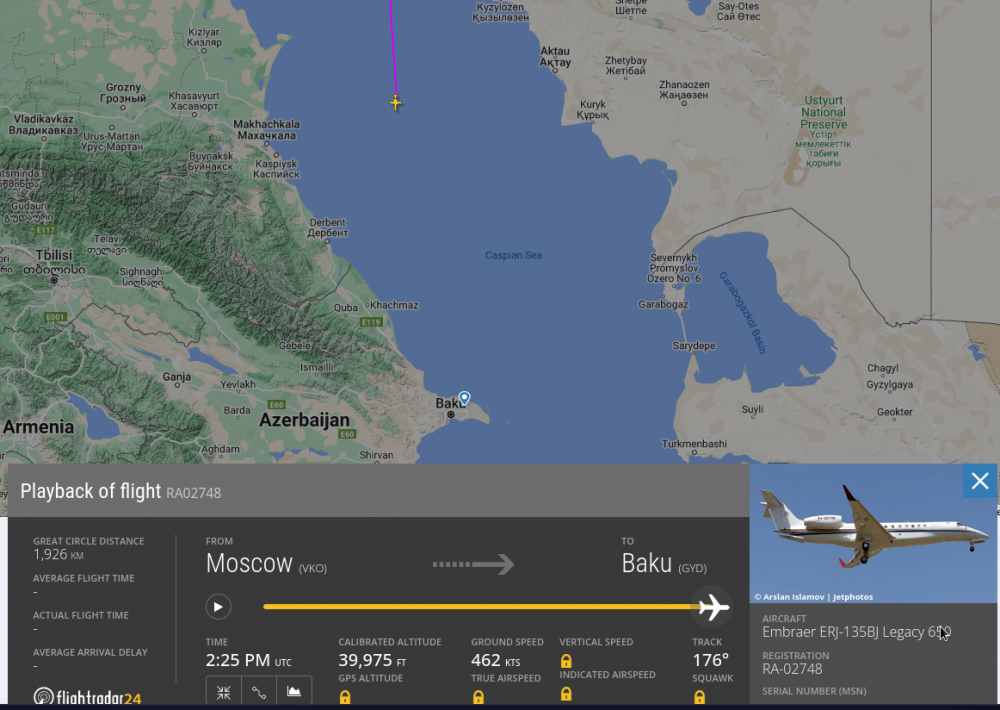
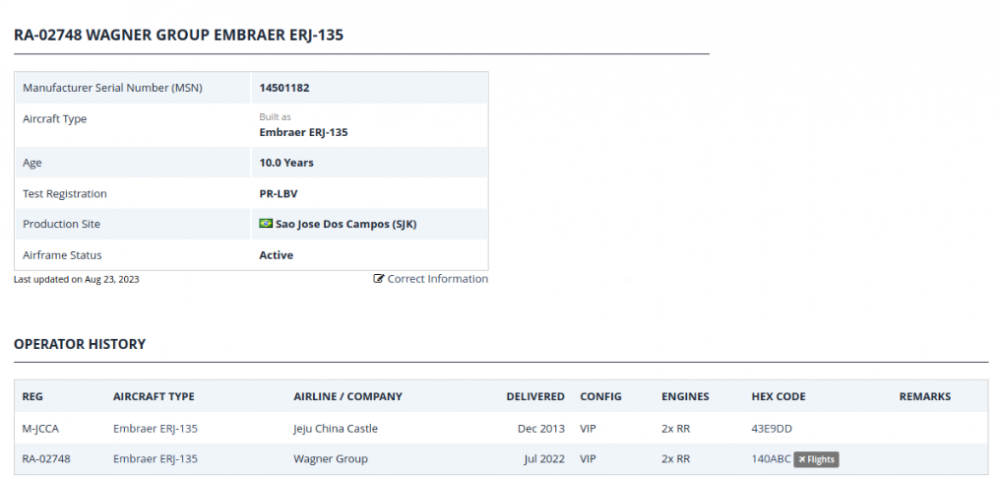
-
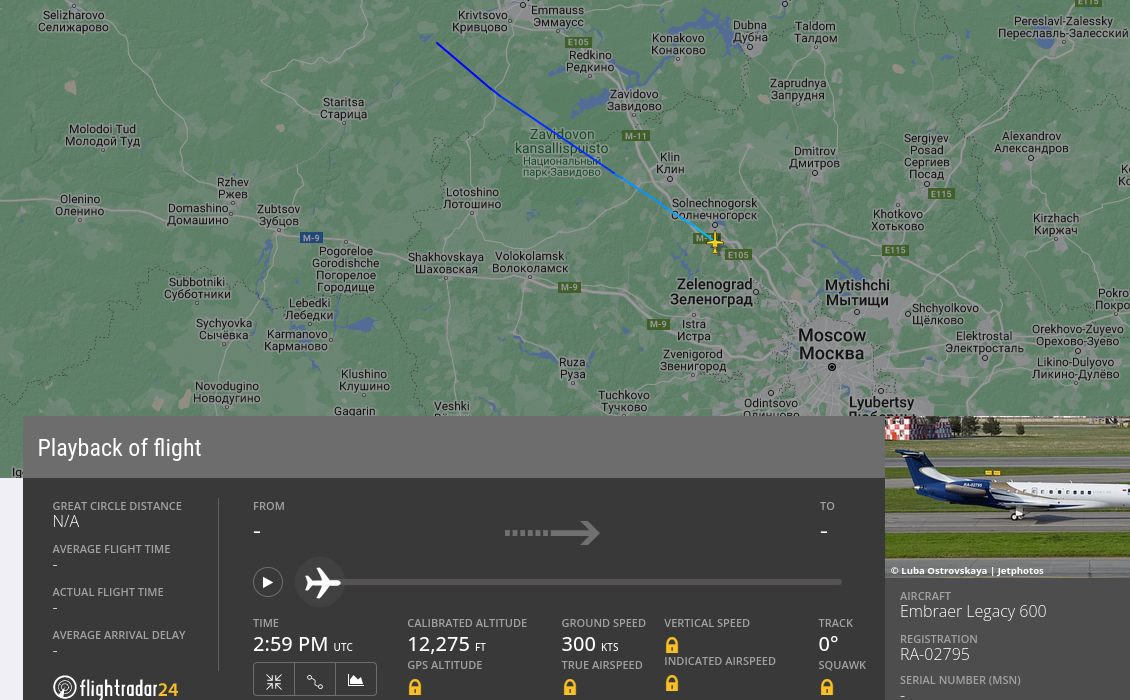
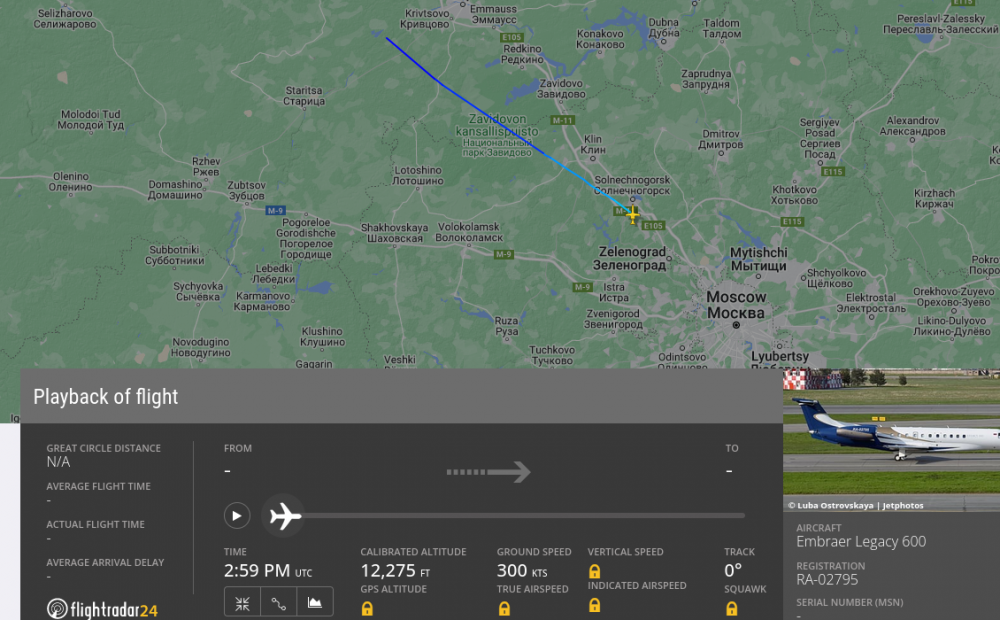
Flight path in the Flight Radar app: https://www.flightradar24.com/data/aircraft/ra-02795#31b7cbfb ps. Note that "calibrated altitude" is incorrect. It should start with an altitude of 0 ft and a ground speed of 0 kts. Some data are cut, missing or altered.
-
https://www.google.com/search?q=steam+turbine+efficiency+formula "Multistage (moderate to high pressure ratio) steam turbines have thermodynamic efficiencies that vary from 65 percent for very small (under 1,000 kW) units to over 90 percent for large industrial and utility sized units. Small, single stage steam turbines can have efficiencies as low as 40 percent."
-
On one (crazy) bookmaking website a month ago I saw bets "how long will Prigozin live. Bet now"..
-
From what I see $172k/year, will receive Long Haul Truck drivers. https://www.cnbc.com/2023/08/18/ups-drivers-can-earn-as-much-as-172000-without-a-degree.html In the U.S., it is a completely different level due to the size of the country. "Long haul drivers earn $172,000 on average ($122,000 plus $50,000 in benefits)" 122k / 12 = 10166 per month / 49 usd/h = 207h per month / 8h per day = 26 days. Here the truck driver has daily limits on how long he can drive the truck and how long he must rest before he can drive again. 207h / 12h per day = 17 days It seems that a truck driver can't have a real family.. Because how? When you are thousands of miles away, in another state.. https://www.google.com/search?q=airline+pilots+salary "How much do A320 pilots make a year?" "The estimated total pay for a A320 Captain is $104,686 per year in the United States area, with an average salary of $83,161 per year. These numbers represent the median, which is the midpoint of the ranges from our proprietary Total Pay Estimate model and based on salaries collected from our users." https://www.glassdoor.com/Salaries/a320-captain-salary-SRCH_KO0,12.htm (and you have to pay $20-30,000 for training out of your own pocket first)